
Download Firehaircut – AI‑Powered Haircut Advice, Free & Secure
Overview
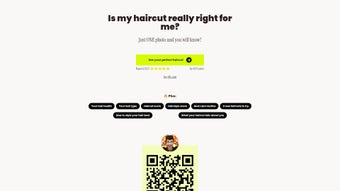
Firehaircut is a cloud‑based web application that brings professional‑grade haircut recommendations directly to anyone with an internet connection. Using a deep‑learning model trained on millions of hairstyle images, the service examines an uploaded portrait, detects facial geometry, hair texture, and personal style cues, then returns a curated gallery of cuts that are mathematically matched to the user’s unique features. The interface is intentionally minimalist: users drag‑and‑drop a clear, well‑lit photo, click “Analyze,” and within seconds receive a ranked list of suggestions, each accompanied by a short styling tip, maintenance advice, and a realistic mock‑up from multiple angles.
Because all processing occurs on secure servers, there is no need for bulky downloads, and the platform complies with modern privacy standards—images are encrypted in transit, processed in memory, and automatically purged after 30 minutes. Whether you are a busy professional seeking a low‑maintenance look, a fashion enthusiast experimenting with runway trends, or a salon stylist looking for a quick client‑consultation tool, Firehaircut delivers fast, accurate, and free recommendations while maintaining a high level of data security. The service continuously updates its model with the latest trends, ensuring that the style suggestions stay fresh and relevant throughout the year.
Key Features & Capabilities
- AI Facial‑Feature Detection: Maps bone structure, eye line, and jaw shape to suggest cuts that enhance natural proportions.
- Hair‑Type Recognition: Differentiates straight, wavy, curly, and coarse textures to tailor recommendations.
- Virtual Try‑On Gallery: Generates high‑resolution mock‑ups from multiple perspectives for each suggested haircut.
- Style Filters: Allows users to narrow results by categories such as Professional, Casual, Bold, Classic, and Seasonal.
- Instant Styling Tips: Each cut includes maintenance guidance, product suggestions, and quick styling shortcuts.
- Secure Cloud Processing: All uploads are encrypted, processed on isolated servers, and deleted automatically after analysis.
- Cross‑Platform Accessibility: Fully responsive design works on Windows, macOS, Linux, Android, and iOS browsers without additional installations.
- Monthly Model Updates: The AI is refreshed each month with new runway looks, celebrity cuts, and emerging trends.
- Free Core Service with Optional Premium Packs: Basic analysis is free; premium add‑ons provide ultra‑high‑resolution renders and exclusive style libraries.
Beyond the headline capabilities, Firehaircut excels in user experience. An onboarding wizard guides users on optimal lighting, angle, and background choices to maximize detection accuracy. After processing—typically under ten seconds—the platform presents a scored list where each haircut is assigned a compatibility percentage.
Users can instantly share their favorites via a “Save & Share” button, exporting PNG files or posting directly to social media for peer feedback. Salon professionals benefit from a client‑consultation mode that allows them to upload multiple client photos, compare suggested cuts side‑by‑side, and generate printable style sheets. The combination of sophisticated AI, intuitive UI, and robust privacy safeguards makes Firehaircut a standout tool for both casual users and industry experts.
Installation, Usage Instructions & Compatibility
Zero‑Install Setup
- Launch any modern browser (Chrome, Edge, Firefox, Safari, or a Chromium‑based mobile browser).
- Navigate to www.firehaircut.com. The site auto‑detects device type and loads the optimal layout.
- Click “Upload Photo” and either drag‑and‑drop a portrait or choose one from your device’s gallery.
- Follow on‑screen lighting tips: natural light, neutral background, and a fully visible face improve detection.
- Press “Analyze.” A progress bar indicates processing status; the AI typically completes in under ten seconds.
- Review the generated grid of haircut suggestions. Click any thumbnail for a larger, 360‑degree view and detailed styling notes.
- Use the filter bar to refine results by length, texture, occasion, or style category.
- When satisfied, click “Download” to save the mock‑up or “Share” to post on social platforms for feedback.
Compatibility Details
Firehaircut is built with responsive HTML5, CSS3, and JavaScript, enabling seamless operation on any recent operating system that supports a standards‑compliant browser, including:
- Windows 10/11 (Edge, Chrome, Firefox)
- macOS Monterey, Ventura, and later (Safari, Chrome, Firefox)
- Linux distributions with up‑to‑date browsers (Chrome, Firefox)
- Android 9+ (Chrome, Firefox, Edge)
- iOS 13+ (Safari, Chrome)
Because the application runs entirely in the cloud, there are no local installations, drivers, or plug‑ins required. The platform also adheres to accessibility standards, offering screen‑reader support, high‑contrast mode, and full keyboard navigation for users with mobility challenges. If analysis fails to start, verify that the browser permits file uploads, clear the cache, or switch to an incognito window. Corporate firewalls may need the domain firehaircut.com whitelisted to allow API communication.
Pros, Cons, FAQ & Conclusion
Pros
- Free Core Functionality: No subscription needed for basic haircut analysis.
- Accurate AI Matching: Deep‑learning models produce highly personalized recommendations.
- Instant Visual Feedback: Realistic mock‑ups let users preview results before a salon visit.
- Cross‑Device Compatibility: Works on desktop, tablet, and smartphone browsers.
- Secure & Private: Encrypted uploads and automatic deletion protect user data.
Cons
- Internet Required: Offline usage is not possible; a stable connection is essential.
- Limited Color Simulation: Current version focuses on cut style, not hair color changes.
- Premium Features Locked: High‑resolution renders and extended libraries require payment.
FAQ – Firehaircut
Is Firehaircut really free to use?
Yes. The core analysis and basic style suggestions are completely free. Premium add‑ons such as ultra‑high‑resolution renders are optional and require a one‑time payment.
How secure is my uploaded photo?
All uploads travel over HTTPS, are encrypted in memory, processed on isolated servers, and automatically deleted within 30 minutes, ensuring privacy.
Can I use Firehaircut on a mobile device?
Absolutely. The responsive design works on any modern Android or iOS browser without requiring a native app download.
What if the AI suggests a haircut I don’t like?
Each suggestion includes a compatibility score. Users can adjust preferences, apply different style filters, or upload a new photo with alternate lighting to generate fresh results.
Do I need to create an account?
No. The free version works without registration. Creating an optional profile lets you save past analyses and unlock premium upgrades.
Conclusion & Call to Action
Firehaircut successfully merges sophisticated AI technology with a frictionless, privacy‑first user experience. Its ability to deliver accurate, visually realistic haircut suggestions in seconds makes it an invaluable tool for anyone contemplating a new look—from casual users to professional stylists. While the reliance on an internet connection and the existence of premium‑only features are minor drawbacks, the free core service already offers more value than many paid desktop alternatives. If you’ve ever hesitated before a salon appointment because you weren’t sure how a style would suit you, Firehaircut removes that uncertainty with a single click.
Ready to transform your look? Visit Firehaircut now, upload a clear portrait, and let the AI generate a personalized haircut gallery tailored just for you. Experience a confident new style, save time, and enjoy the freedom of trying countless looks without ever picking up a pair of scissors.



.png)



